ACA Portal: Platform Certificates Page
The Platform Certificates page is used to upload, download, delete, and view Platform Certificates.
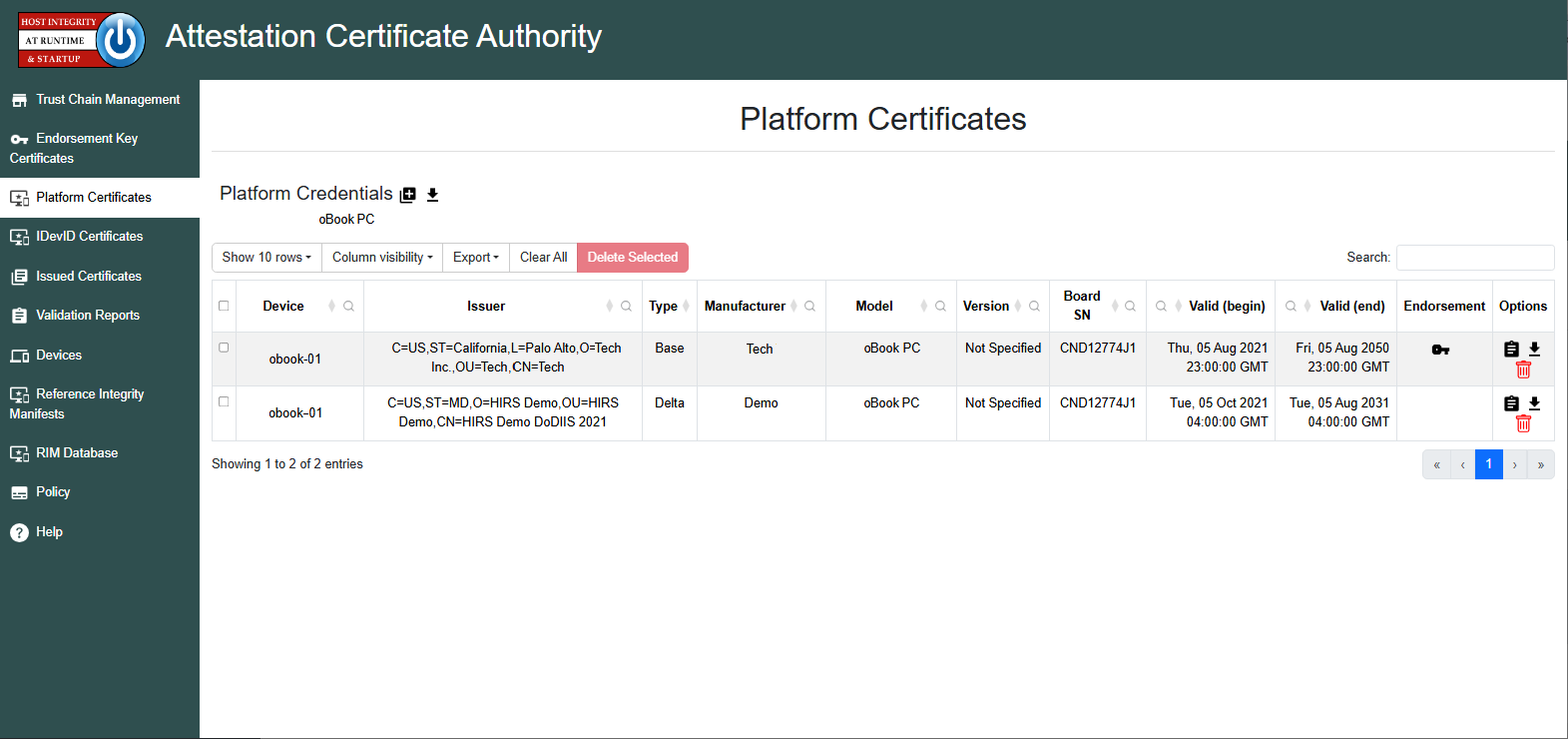
Just as the TPM uses an EK Credential to establish trust, the Platform Certificate is used to validate the platform itself. The ACA requires that the Platform Certificate's certificate chain is uploaded via the Trust Chain page of the ACA prior to performing any validation of Platform Certificate.
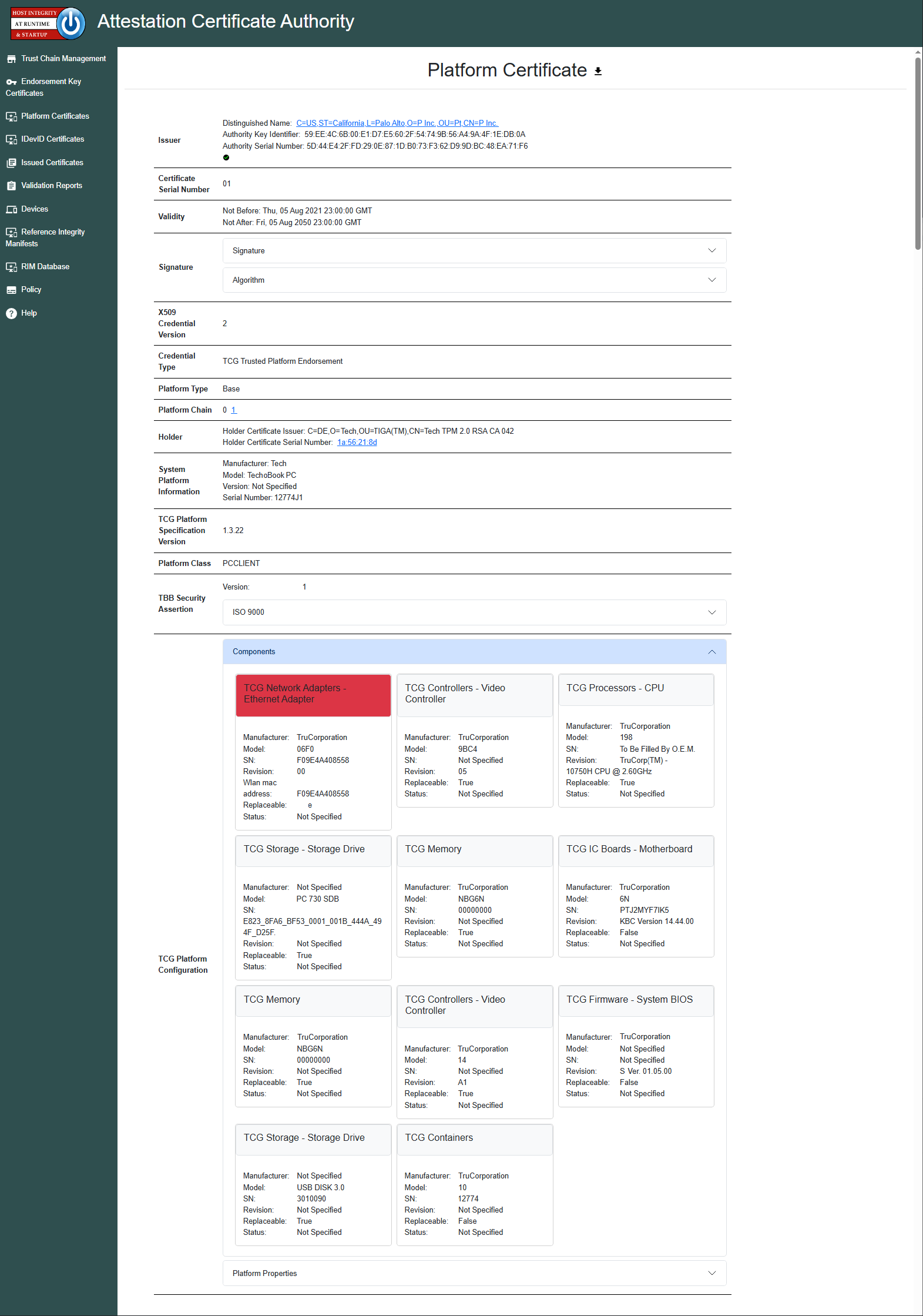
The user can view the uploaded Platform Certificate by clicking the
 icon under the
 Options tab, which will give the user a variety of details about the
manufacturer of the device and the components contained within:
Note
When a Platform Certificate's signature is validated via the Trust Chain, a
 icon will appear in the Issuer section. If any certificate is missing the chain, a
 icon will appear instead.
Fields of particular note when viewing a Platform Credential:
- The
Holderfield contains the CN and Certificate serial number of the EK Credential. The serial number will hyperlink to the EK Credential, if present on the EK Credential page. - The
System Platform Informationfield contains information about the system’s manufacturer. The system information is defined by SMBIOS and adopted by most major computer manufacturers. - The
Componentssection contains information about components within, to include manufacturer, model, serial number, and revision.
For more information on Platform Certificates, see the Platform Certificate page.