ACA Portal: Reference Integrity Manifests Page
The Reference Integrity Manifests (RIM) page is used to upload, view, manage, and delete RIM files.
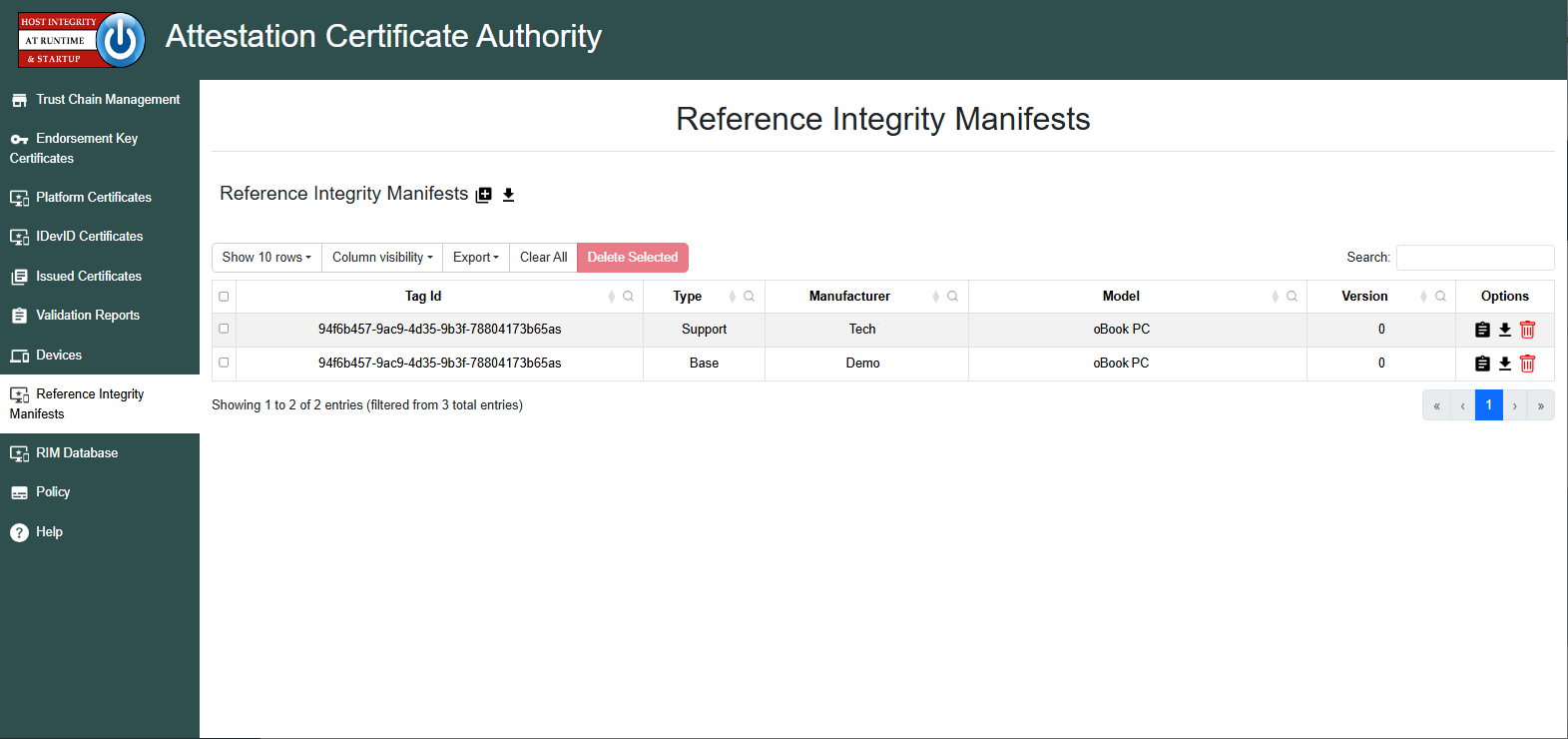
When a RIM file is uploaded to the ACA, both the Base and Support RIMs (if there are any
Support RIMS) appear within this section. The Tag ID column shows the SWID (Software Identification)
Tag ID that identifies a given RIM. The Measured Event Log is also included in this
section. The Type column indicates whether the RIM is a Base RIM, Support RIM, or
Measurement file.
Just as the EK Credential validates the TPM and the Platform Certificate validates the platform, the RIM is used to validate the firmware. The ACA requires that the RIM's certificate chain is uploaded via the Trust Chain page of the ACA prior to performing any validation of the RIM.
The user can view the uploaded RIM or Measurement file by clicking the
 icon under the
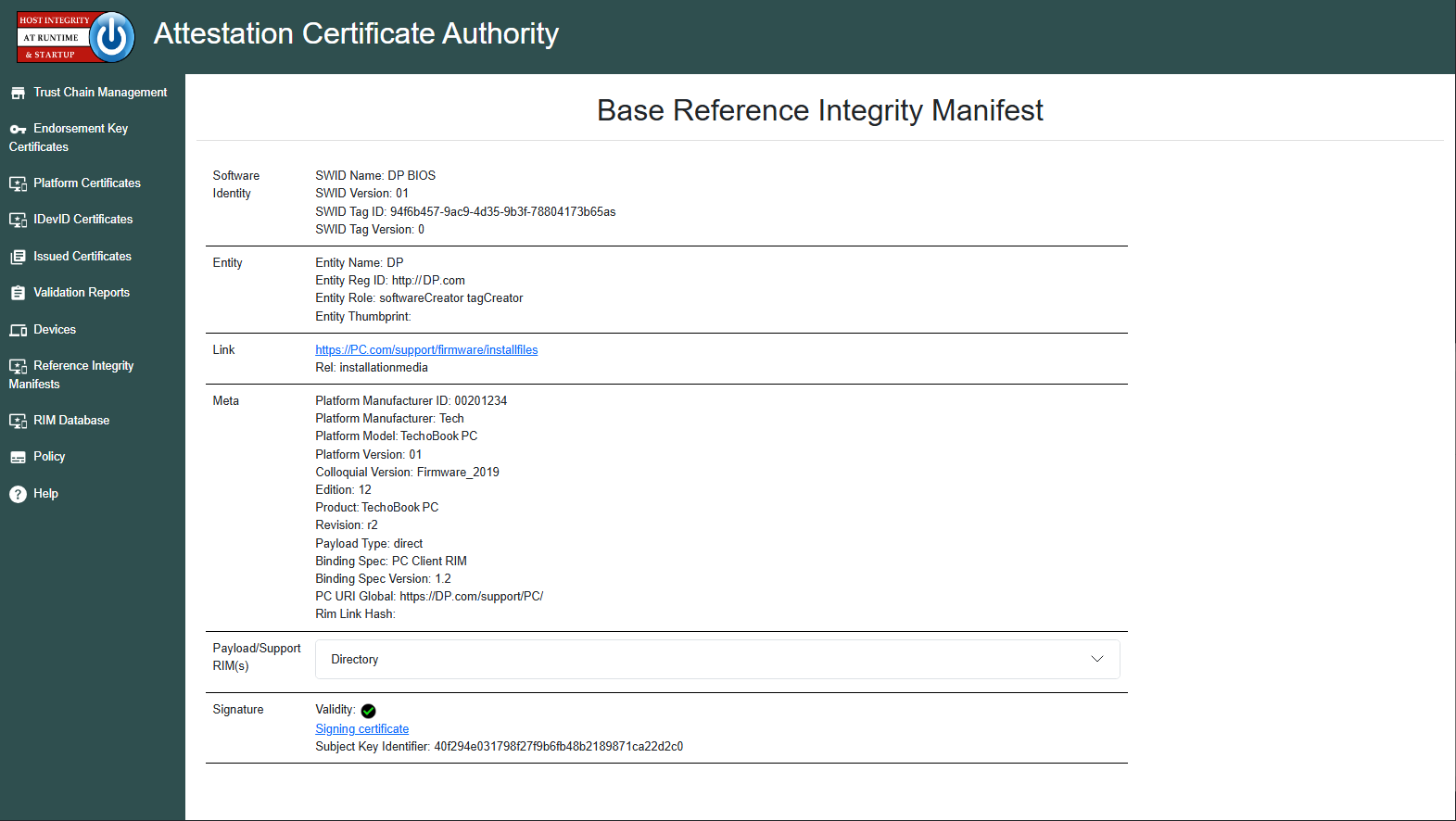
 Options tab. The Base RIM shows information defined by the SWID standard and
other meta fields defined by the TCG:
Note
When a Base RIM's signature is validated via the Trust Chain, a
 icon will appear in the Signature section. If any certificate is missing the chain, a
 icon will appear instead.
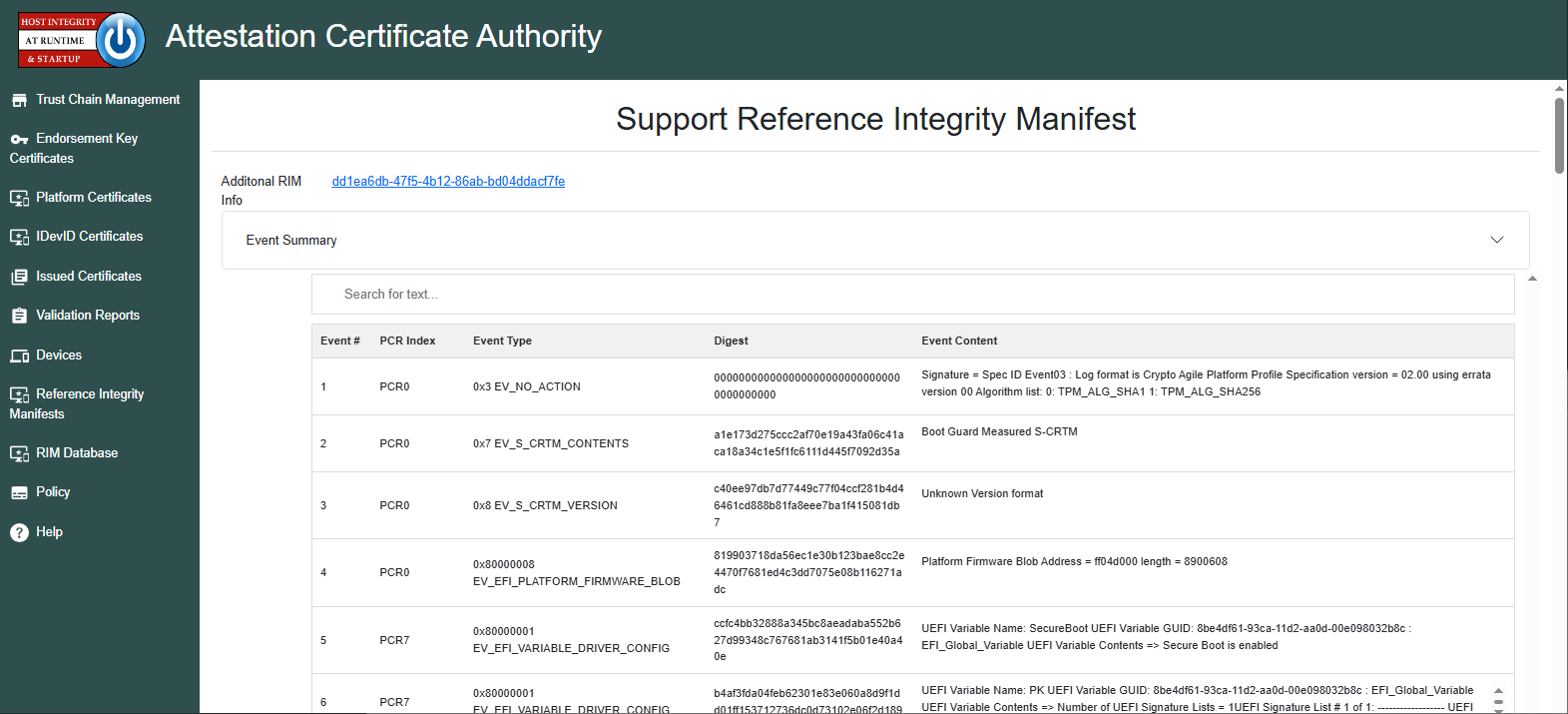
The Support RIM Details page displays information about all hashes extended into the TPM PCRs during the boot process. It also includes an event summary section that indicates which components are covered by the Support RIM file and which are not. If TPM Quote verification fails, this page provides detailed PCR information to help diagnose the issue.
For more information on RIMs, see the RIM page.